
 (800) 854-6735
 Why is it so hard to get an audience for your social media shares? One major hurdle is that tools like LinkedIn run an algorithm to determine whether or not your content is interesting or relevant, and the default setting on this calculation is that your content is relevant to a small audience. When people like your posts, this is a signal to LinkedIn that your content is worth reading. LinkedIn in turn expands the audience of your content with each additional “like” you earn. Clearview Social is finally launching a way for you to get a head start with our Amplification feature.
In the past, our highest performing power admins at Clearview Social would go onto LinkedIn regularly and “like” the posts from their users using the company account to give them a free audience boost. Those admins who were even more motivated, would then re-share those same posts on behalf of the company. With Amplification, we are automating both of these processes, and all you have to do is turn them on.
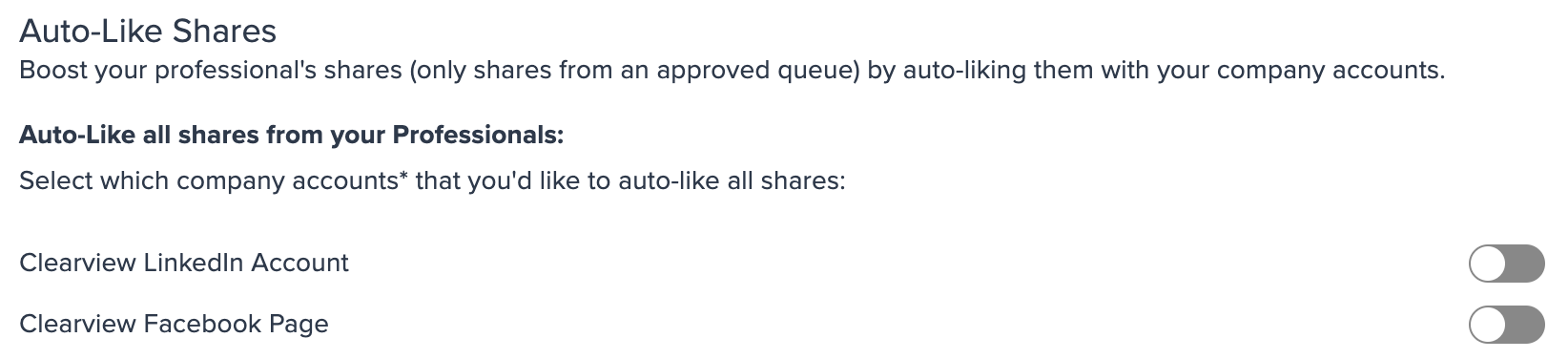
Admins, if you take a look inside your company settings tab, you’ll find the buttons to toggle on:
As we explained before, the more likes a post gets, the more likely it is to be seen by other users on the platform, which is why Amplification makes so much sense.
In the Auto-likes section, you can choose from company accounts that you have linked and have them automatically like posts from your users, giving them a boost in the algorithm.
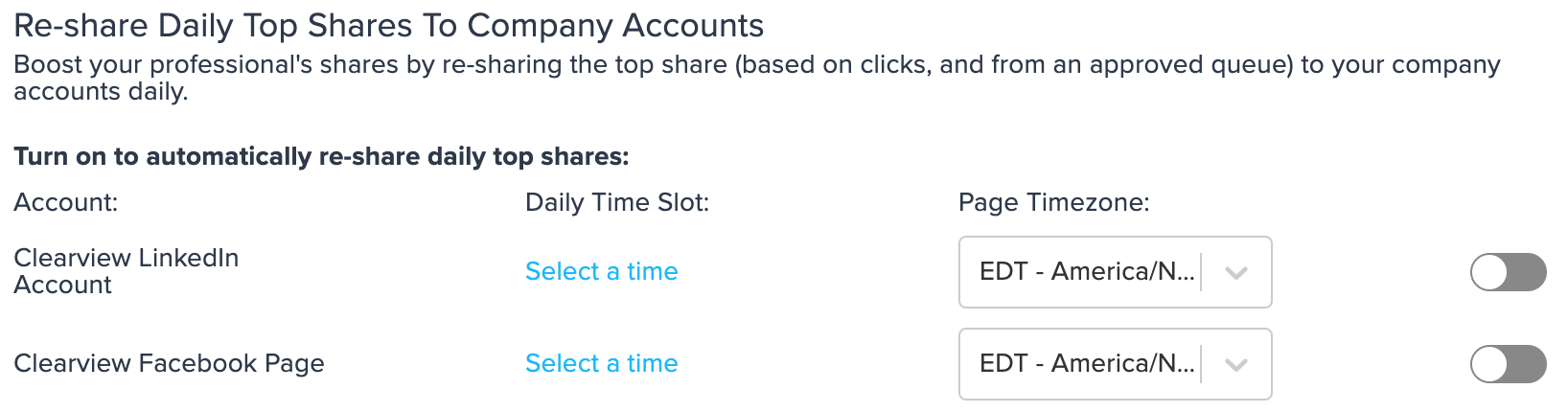
Re-share’s work in a similar fashion to the auto-like, but to the next degree. A users post getting a re-share will boost it in the algorithm even more than additional likes.
The one additional step to a re-share is to set a daily time slot at which the re-share will go out.
The auto-likes and re-shares will only affect company-approved content (items from queues), so there is no need to worry about the company page re-sharing any of your employees personal content.
If you have any questions or would like to learn more, please contact your Client Success Manager.